Importing and Mapping Scalar Values
Ir required, you can import edge and vertex scalar values contained in a selected comma-separated values file (*.csv extension) into a graph.
 Importing Scalar Values from a CSV File
Scalar values can be imported from either an ORS-formatted CSV file, in which case all slots will be imported, or you can import scalar slots one-by-one from a generic CSV file that contains the required IDs and corresponding values.
The options for importing scalar values from an ORS-formatted CSV file are available in the Scalar Values Slots Importer dialog, shown below. You can choose to import either edge or vertex scalar types, as shown below.
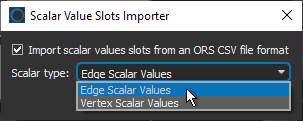
ORS-formatted CSV files are formatted in columns as follows: | Time Step | ID | Measurement (unit) |, in which the ID can be related to an edge or vertex.
The options for importing a scalar value slot from a generic CSV file are available in the Scalar Values Slots Importer dialog, shown below.
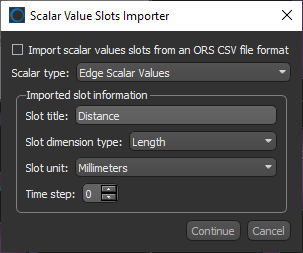
Generic CSV files must be formatted as: | ID | Value |. Other information, such as the slot title, dimension type, unit, and time step, can be entered manually.
How to Import Scalar Values from a CSV File
- Right-click the required graph in the Data Properties and Settings panel and then choose Import Scalar Values from a CSV File in the pop-up menu.
The Scalar Values Slots Importer dialog appears.
- Check the Import scalar values slots from an ORS CSV file format option if the CSV file was created in Dragonfly.
- Choose a scalar type — Edge Scalar Values or Vertex Scalar Values — in the Scalar type drop-down menu.
Mapping Vertex Scalar Values from Another Object
Lets you map vertex scalar values contained within another object. For example, from a distance map, thickness mesh, or multi-ROI.
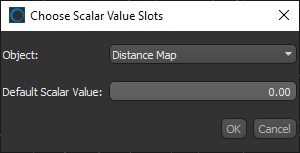
You can choose the required object in the Choose Scalar Value Slots dialog, as shown below.